

- Relevant context — For each coding task, Unblocked Code uses the Unblocked Context Engine to draw on relevant code, pull requests, issues, documentation, and team discussions. It uses only the data sources that the requesting user has permission to access.
- Runs remotely — Tasks run remotely and continue in the background if you close Unblocked or shut down your computer.
- Works everywhere — Unblocked Code integrates smoothly everywhere you already chat with Unblocked, so you can naturally hand off work when a conversation leads to a coding task.
How it works
Ask Unblocked to do coding work wherever you already chat with it: tag@Unblocked in Slack, use the Unblocked web or Mac app, or mention @unblocked in a pull or merge request comment.
Coding work can span multiple repositories. Unblocked launches a separate task and creates a separate pull or merge request for each repository.
- From Unblocked
- From Slack
- From Pull Requests
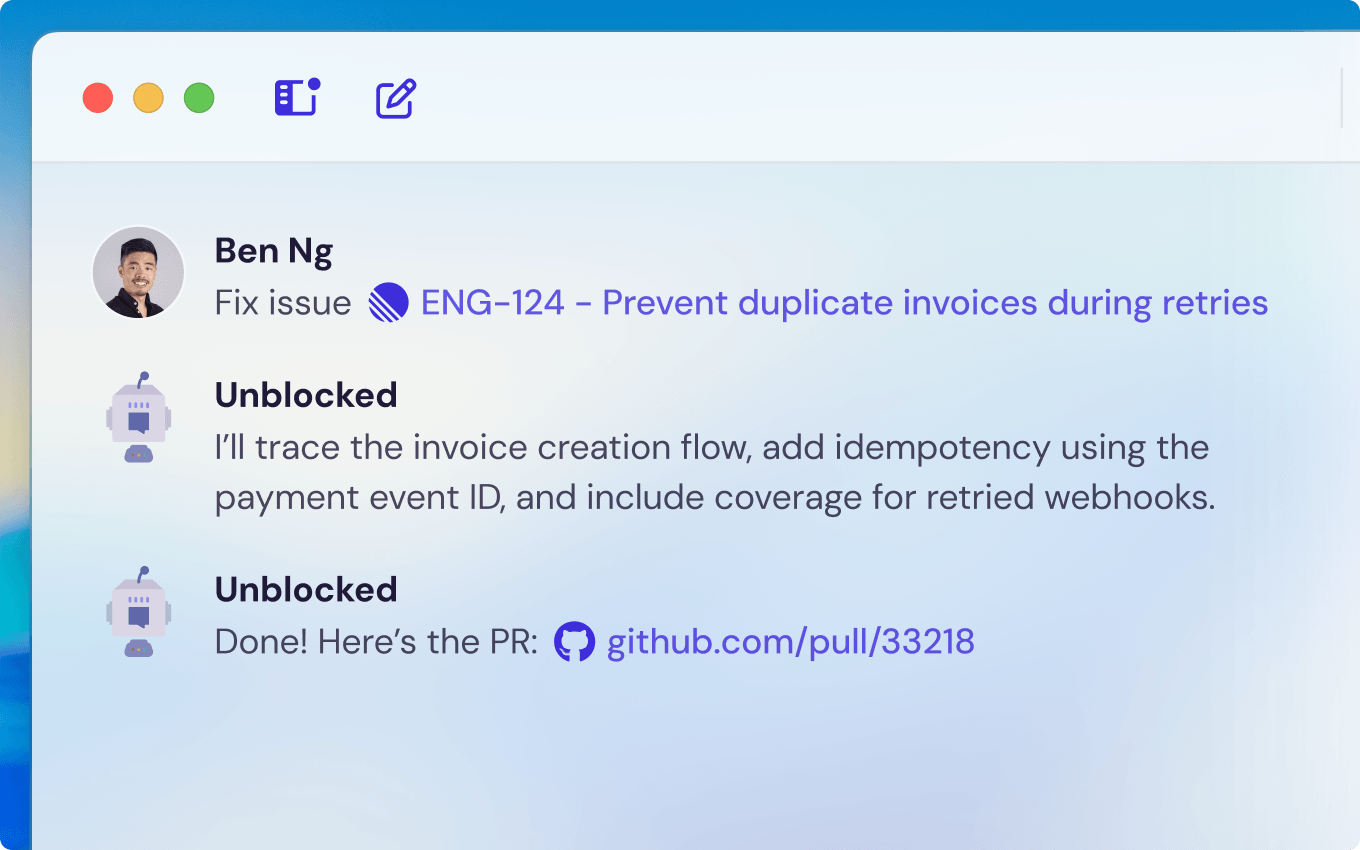
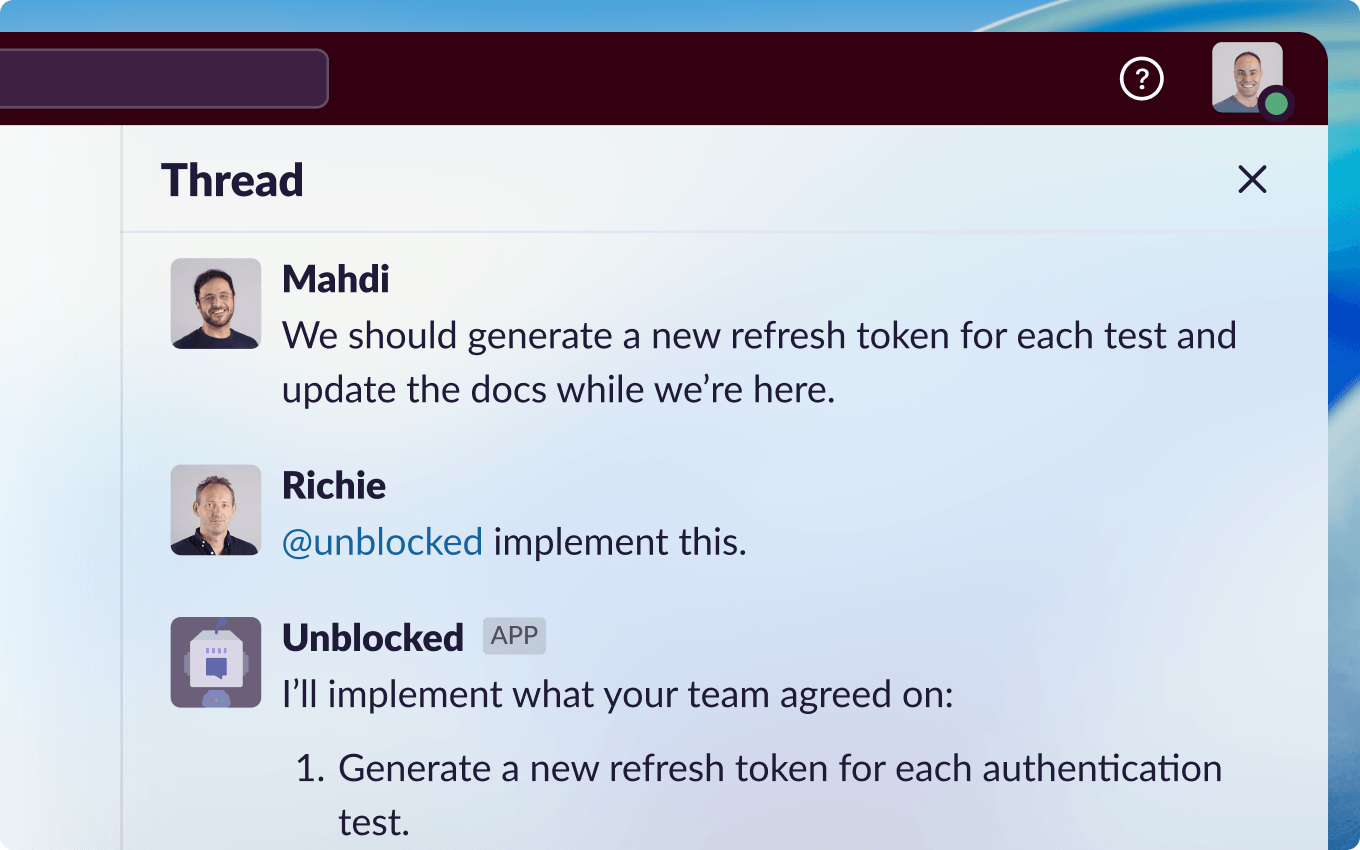
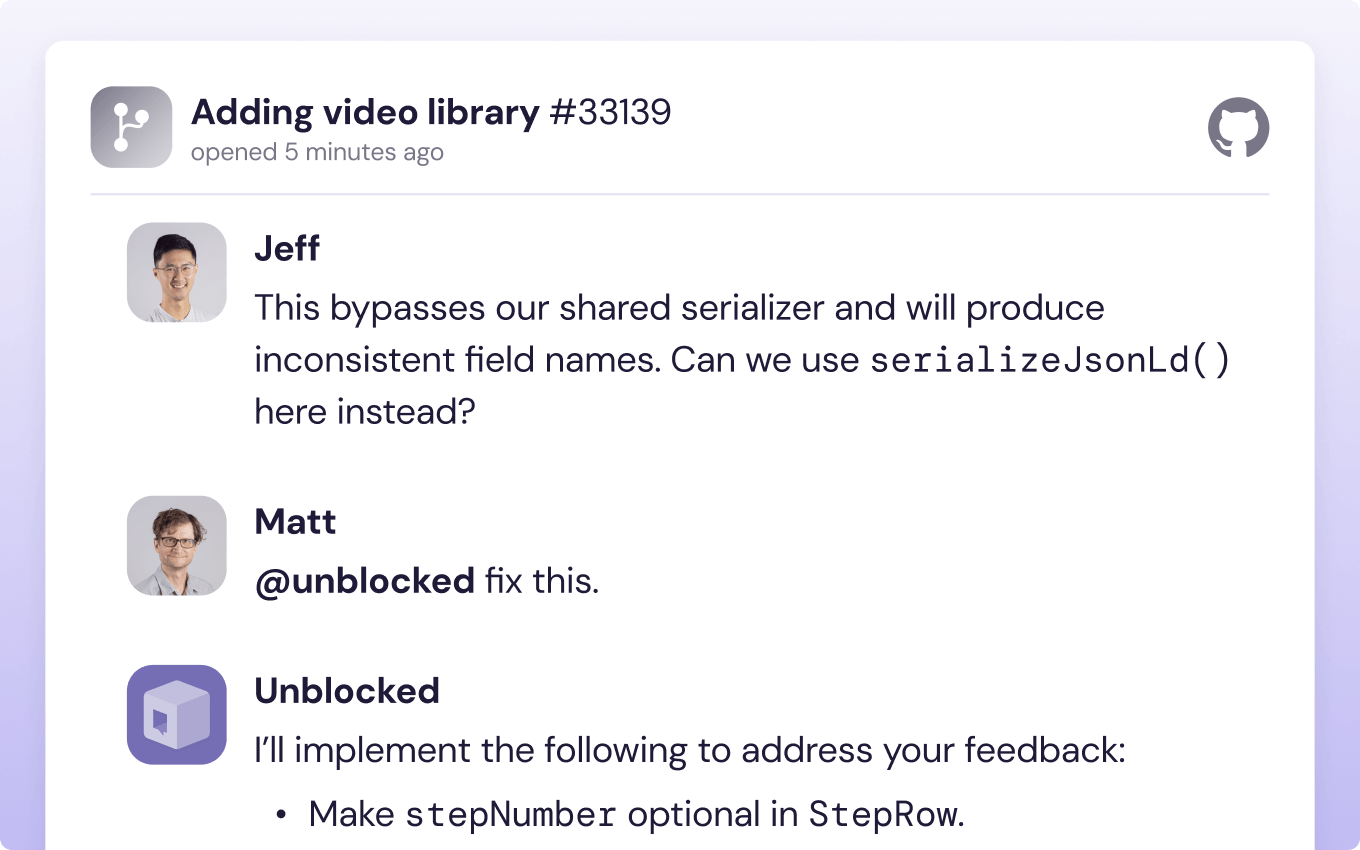
1
Confirm the task
Unblocked may ask questions to clarify your requirements. It then asks you to confirm the coding task before starting it.
2
Track the task
The task runs in the background. At any time, you can ask Unblocked to check its status, list your current tasks, or cancel it.
3
Review the pull or merge request
When the task is complete, Unblocked opens a draft pull or merge request for you to review.
Credits
Coding tasks use credits from your team’s shared credit pool. Questions and Code Reviews use a fixed number of credits, but the credits for a coding task depend on how much work the task takes. Unblocked bills each coding task separately. When coding work spans multiple repositories, a separate task is created for each repository, and each task is billed separately. You aren’t charged for tasks that fail.Why credit usage varies
A task’s credits reflect the model usage and machine time needed to complete it:- Task complexity — Larger or more involved changes need more model work.
- Environment setup — When the environment is missing tools, dependencies, or secrets, the agent works harder to build and test the code. See Configure the code environment.
- Request clarity — Ambiguous requests can lead the agent to explore several approaches before settling on one. Clear requirements and acceptance criteria keep tasks focused.
- Run time — Tasks that run longer use more machine time.
Typical credit usage
A typical coding task uses about 20 credits. About one task in four uses more than 50 credits, and about one in ten uses more than 100.Track credit usage
Admins can review coding task usage on the Usage page. Click Settings in the sidebar, then select Usage under Team Settings. The page shows coding task counts and credits for each member of your team, and the CSV export includes Coding Tasks and Coding Task Credits columns. To retrieve the credits and duration of each completed task programmatically, use the coding task usage API.Initial setup
Unblocked Code supports repositories hosted on GitHub.com, GitHub Enterprise Server, GitLab.com, GitLab Self-Managed, Bitbucket Cloud, and Bitbucket Data Center. For most teams, no setup is required. The source code integration must have permission to push code and open pull or merge requests. GitHub customers may need to grant the Unblocked GitHub App read and write access to repository contents:- GitHub.com: If your team is prompted to approve updated permissions, a GitHub organization owner must set Contents to Read and write.
- GitHub Enterprise Server: An Enterprise administrator or organization owner must update the Unblocked GitHub App permissions and set Contents to Read and write. The owner of each organization where the app is installed must then accept the new permission.
Configure the code environment
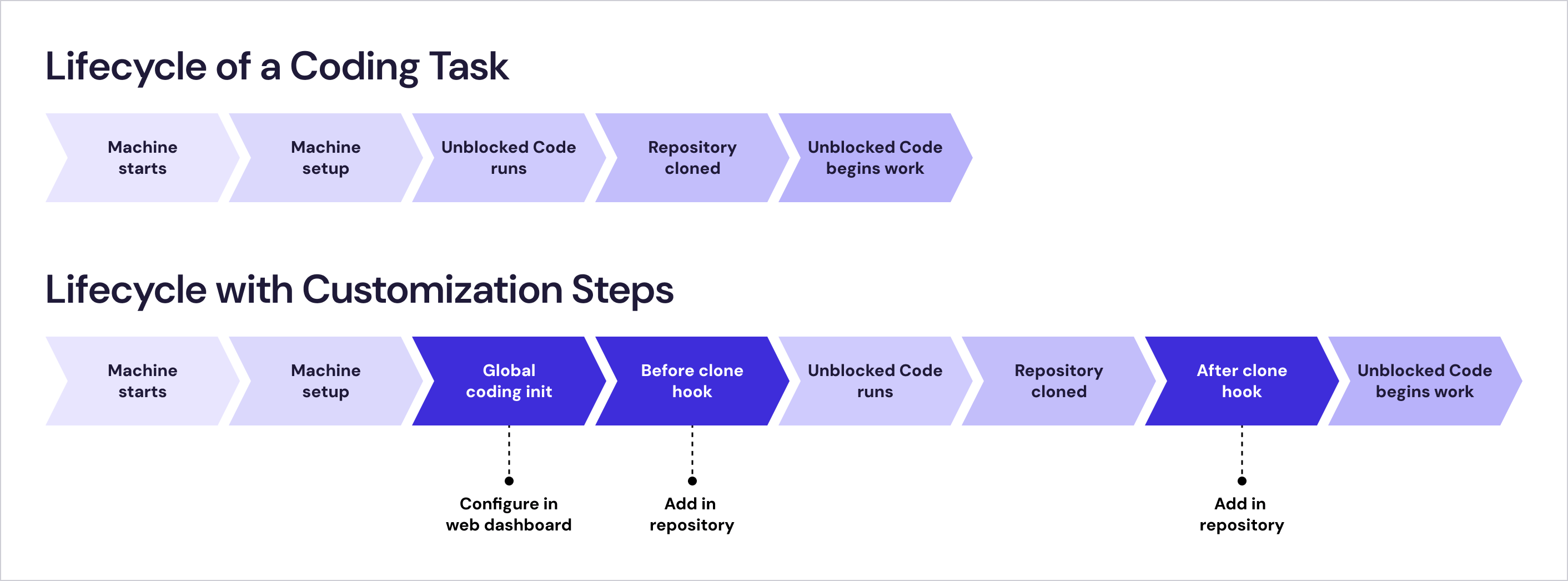
Unblocked Code can usually determine how to build and test a repository from its setup instructions, build files, and CI configuration. More complex repositories may require secrets or custom code init scripts. Administrators configure global secrets and a global code init script under Settings › Coding Tasks.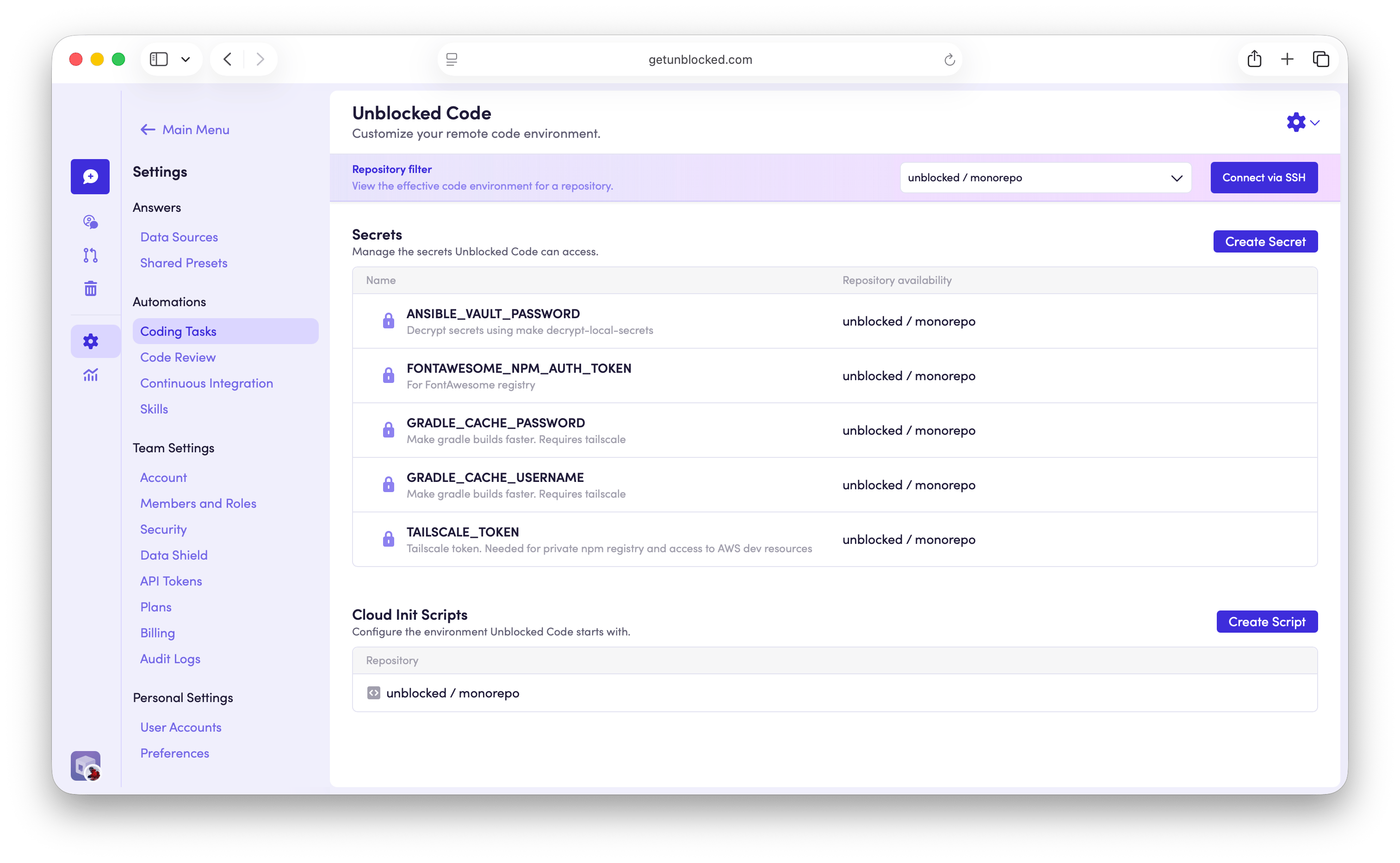
Secrets
Secrets provide access to private dependencies and external services, such as npm registries, Artifactory, or services on an internal network. You can make a secret available to all connected repositories or limit it to one. A repository-specific secret overrides a shared secret with the same name.Code init scripts
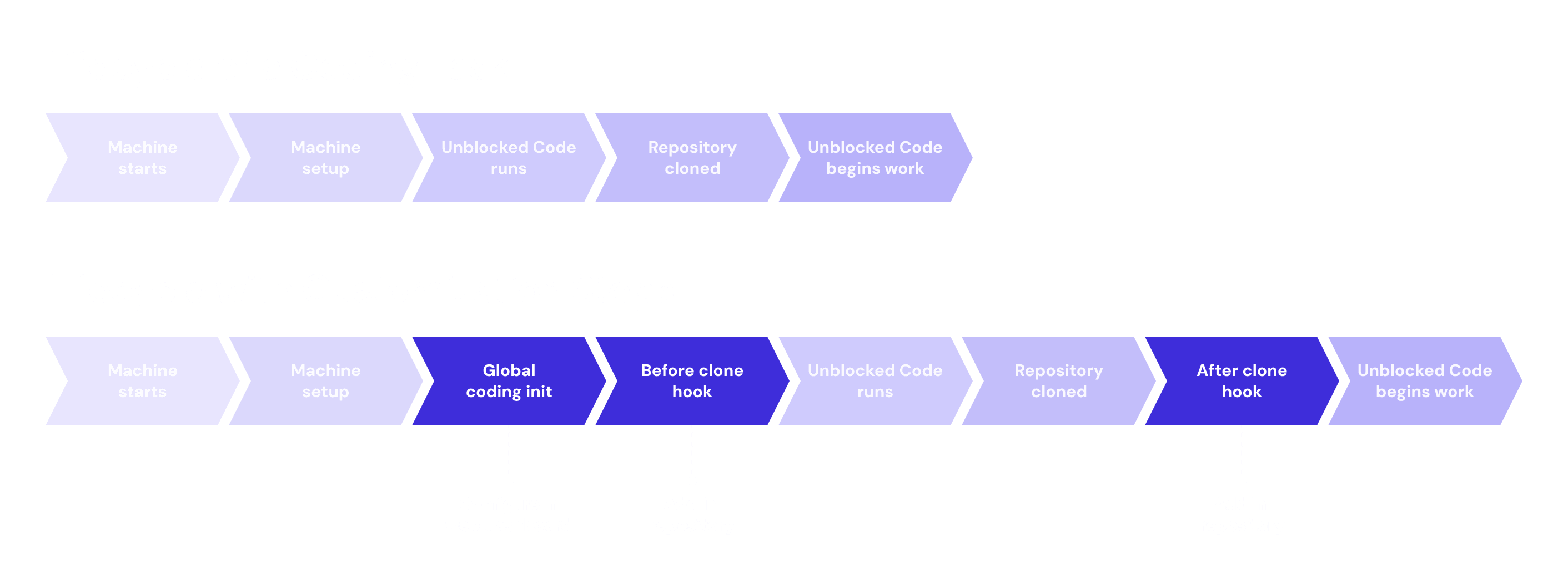
Unblocked supports three optional code init scripts that run at specific points in the coding-task setup flow:- The global code init script, configured under Settings › Coding Tasks, installs any software required in the coding environment.
- The
.unblocked/code-init-before-clone.shrepository script runs before Unblocked clones the repository. Use it to install repository-specific software and dependencies that are fixed or pinned to a specific version. - The
.unblocked/code-init-after-clone.shrepository script runs after Unblocked clones the repository. Use it to run tools from the repository and install floating dependencies that should resolve against its current contents.
- The scripts run as root on Ubuntu 22.04 LTS, so you don’t need
sudo. - Reference configured secrets through environment variables, such as
$NPM_TOKEN, rather than writing their values into a script. Unblocked exposes each secret to the code init scripts only while they run, so the value never appears in the scripts themselves. Configured secrets are also available to the Unblocked Code agent while a task runs. Wrap references in double quotes ("$NPM_TOKEN") so the shell expands them safely. - Run
apt-get updatebefore installing packages, and preferapt-getoveraptin scripts. - The scripts can run arbitrary Bash.
- Node.js
- Java
- Ruby
- Docker
- Tailscale
Network access
Unblocked Code environments have internet access. Outbound connections egress through the following IP addresses, which you can allowlist when an external service restricts access by source IP:44.236.159.233/3244.255.222.154/32
Test with SSH
To test a repository’s environment, select it from the Repository filter and click Connect via SSH. Unblocked creates an ephemeral machine using the configured secrets and all applicable code init scripts. This machine reproduces the task environment but does not run the Unblocked Code agent. Select Close to delete the machine when you’re finished. The machine also shuts down automatically after four hours.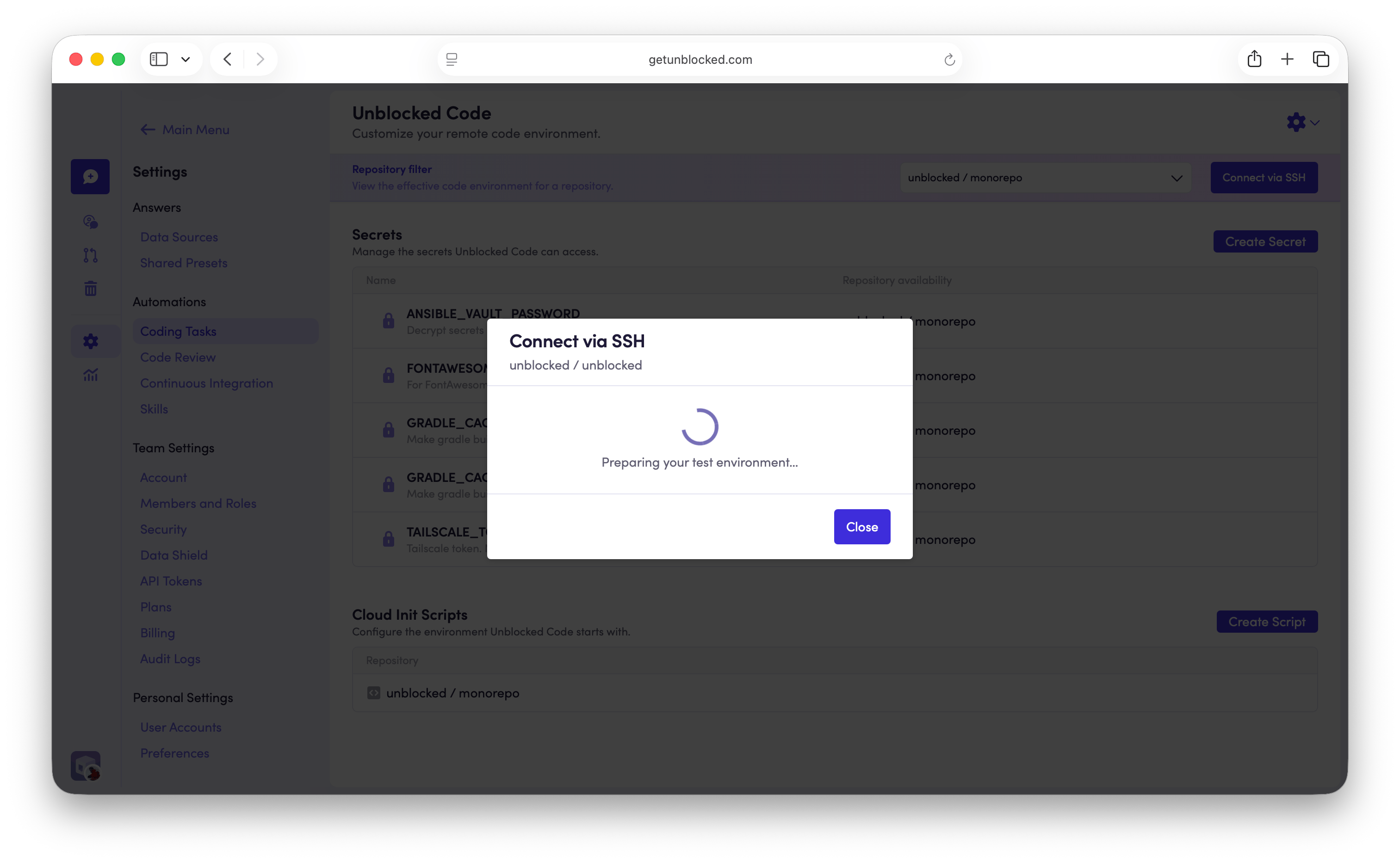
ubuntu user, which has sudo access. Commands you run interactively may require sudo, even though the code init scripts do not because they run as root.
To troubleshoot setup, check /var/log/cloud-init-output.log. Changes made directly on the machine are not saved, so copy any changes you want to keep into the appropriate code init script.