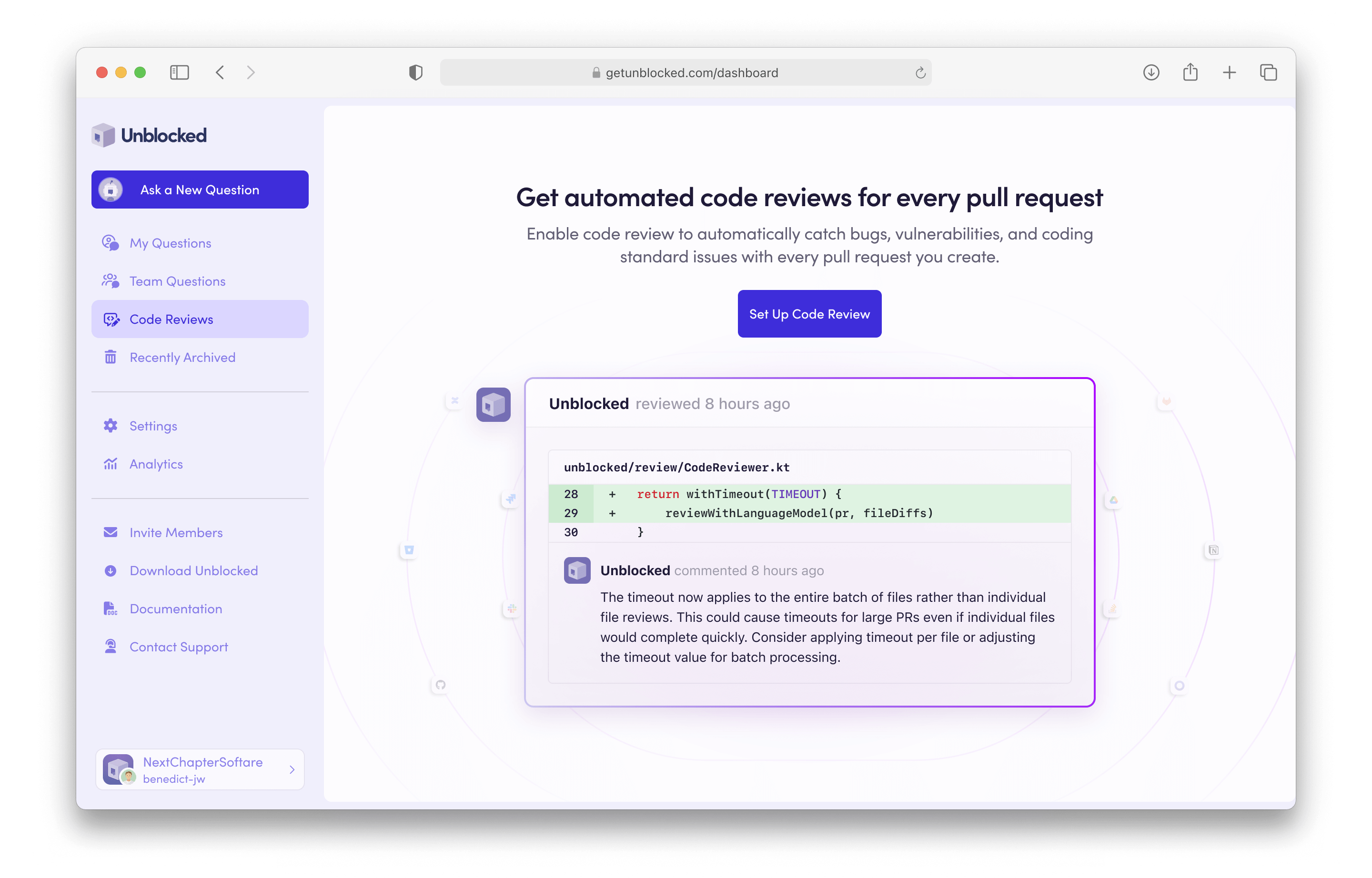
To set up Code Review for your Unblocked team, select Code Review from the left sidebar. Next, click Set Up Code Review. If you haven’t connected your issue tracker, you’ll be prompted to do so.
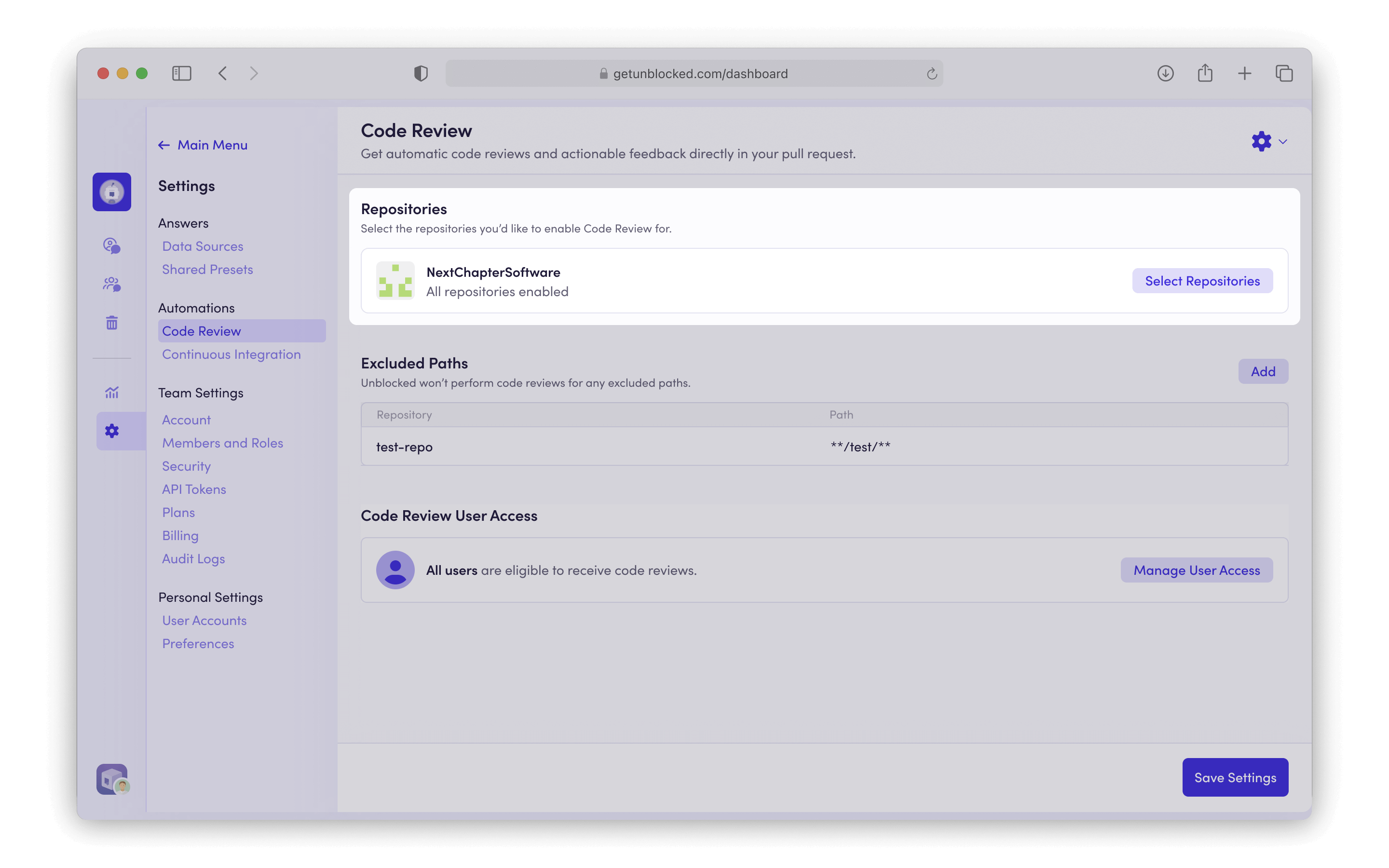
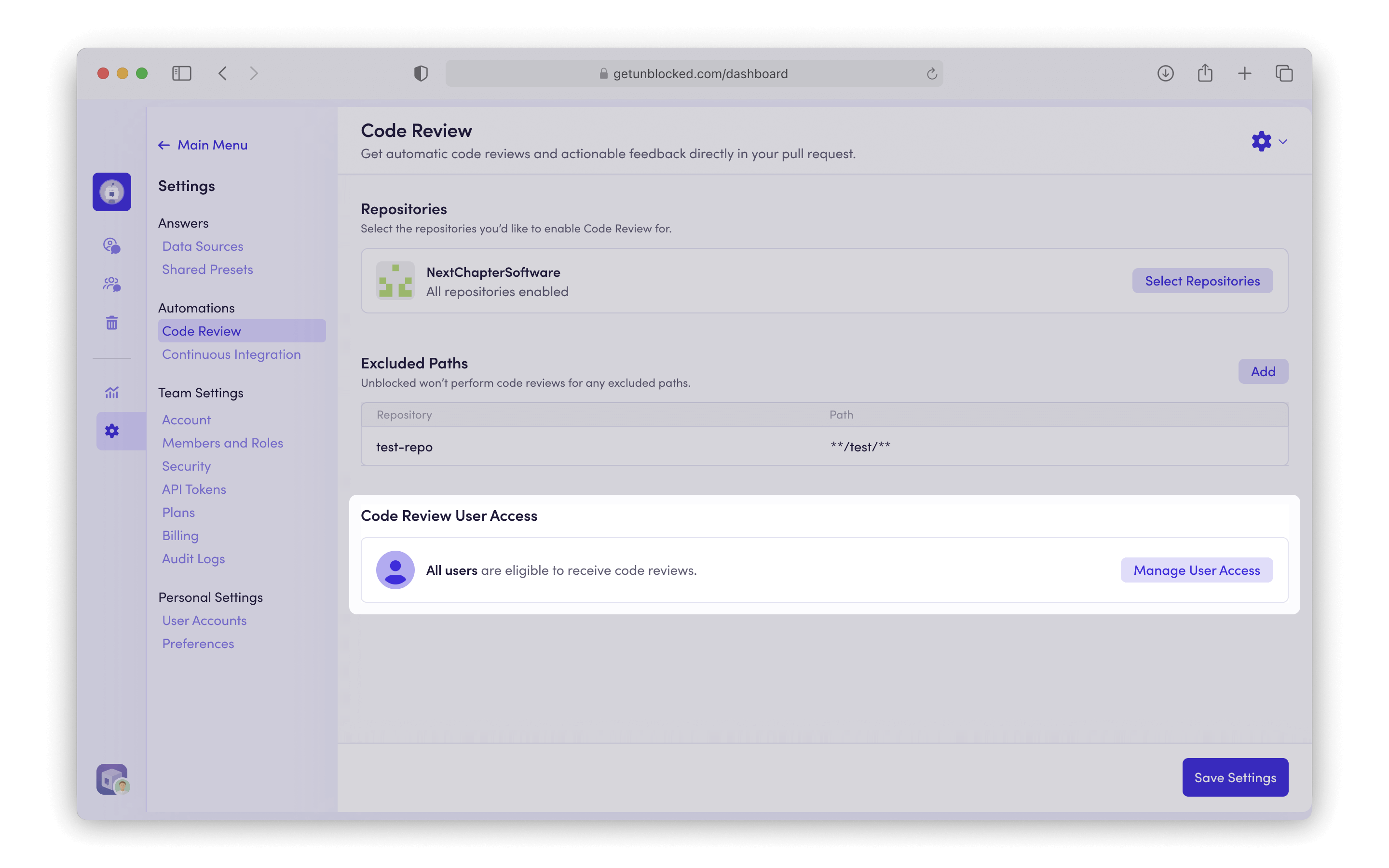
Use the Code Review User Access setting to control which users are eligible to receive automated code reviews.
By default, All Users is selected, so Unblocked will review pull requests for everyone in your workspace.
To limit reviews to specific people, choose Specific Users and select the users you want from the list.
Only pull requests authored by those users will receive automated code reviews.Users who are not selected can still request a review manually by mentioning @unblocked in a PR comment. See Requesting a review for details.
Use the Approval Workflow settings to control what happens when Unblocked reviews a pull request and finds no issues.
Risk Assessment — learn how to define risk policies that Unblocked evaluates against every pull request.
Comment — post a comment when no issues are found. Turn this off if you want Unblocked to take no action on pull requests that do not qualify for auto-approval.
Auto-approve low risk Pull Requests — approve pull requests that have no issues and a risk score of low or lowest. This setting appears when your source control integration supports approvals that count toward pull request requirements.
Legacy Approvals — approve pull requests that have no issues for GitHub organizations whose Unblocked integration does not have the contents:write permission. These approvals do not count toward required approvals.
Low-risk auto-approvals count toward the number of approvals required by branch protection rules.
If your rules require only one approval, an Unblocked auto-approval can satisfy that requirement. Configure additional required approvals if you also require a human reviewer to approve the pull request. Legacy Approvals do not count toward required approvals.
To have Unblocked follow repository instructions during code review, enable repository rules under Settings > Code Review. Unblocked supports a broad range of instruction files and paths; expand the list below to see which ones it recognizes.
Lowercase forms are also recognized for AGENT.md, AGENTS.md, ARCHITECTURE.md, CLAUDE.md, CONTRIBUTING.md, CONVENTIONS.md, and GEMINI.md.Tool rule files
For best results, write concise, actionable instructions that reflect your repository and organization’s specific practices rather than general truisms.Good examples:
“Use event.id for idempotent event processing.”
“In customer-facing views, format dates with formatNorthstarDate and the account’s timezone.”
“Use Money for monetary values; avoid floating-point arithmetic.”
Avoid vague review instructions that do not give the reviewer factual guidance:
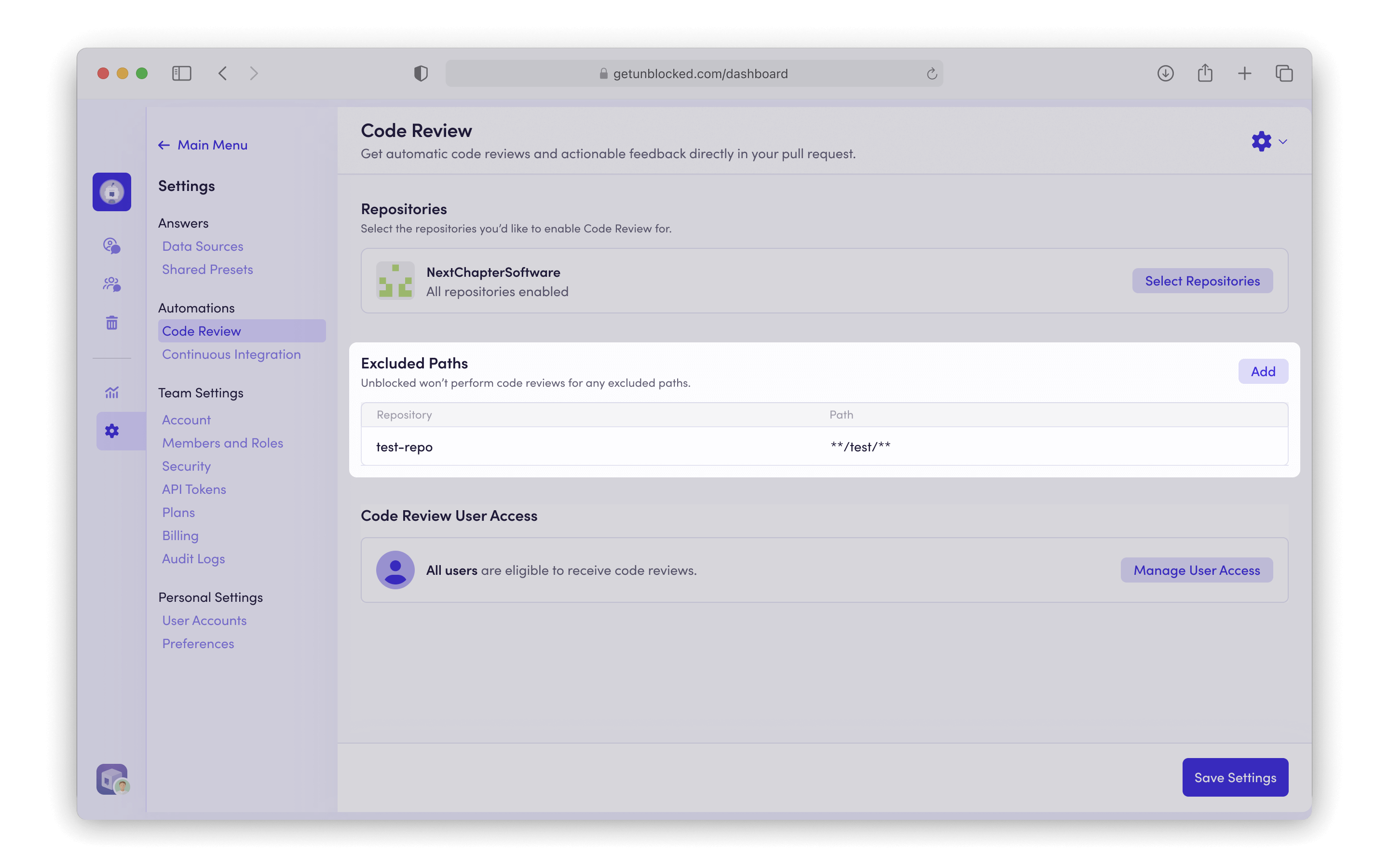
You can configure custom path exclusion patterns to exclude specific files or directories from review.
These patterns use glob syntax and are applied when processing pull requests.Common exclusion patterns include *.md to exclude all Markdown files at any depth, src/test/** to exclude all files under a specific directory from the repository root, and package-lock.json to exclude specific files. You can also exclude entire directories like node_modules/** or file types like *.generated.js.
For Azure DevOps repositories, code review comments need to be posted on behalf of an Azure DevOps user account. We recommend creating an Unblocked bot account for this specific purpose.
1
Create a bot account
In the Microsoft Entra admin center, go to Entra ID > Users.
Click New user, then select Create new user.
Create a new user with the following information:
Name: Unblocked
Avatar: download and use the Unblocked logo belowDownload PNG
In Azure DevOps, sign in to your organization as a Project Collection Administrator.
Click Organization settings > Users, then click Add users.
Enter the bot user’s email address.
Set Access level to Basic.
Under Add to projects, select each project where Unblocked should review pull requests.
Set Azure DevOps Groups to Project Contributors.
Click Add.
2
Select your Bot Account
In Unblocked, search for the bot account you just created and select it. You may be required to authorize this account with Unblocked.
In order to successfully authorize your bot account, you need to be logged in with that account in Azure DevOps.
For Bitbucket Cloud repositories, code review comments need to be posted on behalf of a Bitbucket user account. We recommend creating an Unblocked bot account for this specific purpose.
Avatar: download and use the Unblocked logo belowDownload PNG
Switch accounts and sign in to your Bitbucket Workspace as a Workspace admin.
Click the gear icon in the top right of the navigation bar, and select User Management.
Invite your new bot user to your workspace.
Accept the email invitation that was sent to your bot account.
2
Select your Bot Account
In Unblocked, search for the bot account you just created and select it. You may be required to authorize this account with Unblocked.
In order to successfully authorize your bot account, you need to be logged in with that account in Bitbucket Cloud.
For Bitbucket Data Center repositories, code review comments need to be posted on behalf of a Bitbucket Data Center user account. We recommend creating an Unblocked bot account for this specific purpose.
1
Create a bot account
Sign in as an administrator in your Bitbucket Data Center instance.
In the top navigation bar, click the admin icon.
Under Accounts, select Users, then Create user.
Create a new user account in Bitbucket Data Center with the following information:
Name: Unblocked
Avatar: download and use the Unblocked logo belowDownload PNG
Before the bot can access a project, it must be able to sign in to Bitbucket Data Center.
Go to Administration > Users.
Find your bot user and ensure it is assigned to a group.
Go to Administration > Global Permissions.
Ensure that group has the Bitbucket User permission.
For each project Unblocked should review, navigate to Project settings > Permissions.
Add the bot user and set the permission as “Developer” or above.
2
Select your Bot Account
In Unblocked, search for the bot account you just created and select it. You may be required to authorize this account with Unblocked.
In order to successfully authorize your bot account, you need to be logged in with that account in Bitbucket Data Center.
For GitLab Cloud repositories, code review comments need to be posted on behalf of a GitLab account. We recommend creating an Unblocked bot account for this specific purpose.
1
Create a GitLab account for code review
You can use either a GitLab service account or a regular GitLab user account.
Regular users connect with OAuth, while service accounts connect with a token.
Decide which GitLab account type Unblocked should use for code review, then follow the matching instructions.GitLab service account
From the service account page, select Manage access tokens.
Click Add new token.
Select the api and read_user scopes.
Click Generate token and copy the token.
Regular GitLab user account
Create a new account in GitLab.
In GitLab, set the regular user’s profile information:
Name: Unblocked
Avatar: download and use the Unblocked logo belowDownload PNG
2
Add the code review account to your GitLab top-level group
In GitLab, sign in as an Owner for the top-level group that contains the repositories Unblocked should review.
In the top-level group, click Manage in the left navigation and select Members.
Click Invite members.
Invite the GitLab account you created for code review.
Set the role as “Developer” or above and click “Invite”.
3
Select the code review account in Unblocked
In Unblocked, search for the GitLab account you created for code review and select it. If you select a regular user account, Unblocked will prompt you to authorize that account with GitLab. If you select a service account, Unblocked will prompt you to enter the token you created in GitLab.
Service accounts connect with a token and do not use the GitLab OAuth flow. Regular user accounts still use OAuth, so you need to be logged in to GitLab with that account when authorizing it.
For GitLab Self-Managed repositories, code review comments need to be posted on behalf of a GitLab account. We recommend creating an Unblocked bot account for this specific purpose.
1
Create a GitLab account for code review
You can use either a GitLab service account or a regular GitLab user account.
Regular users connect with OAuth, while service accounts connect with a token.
Decide which GitLab account type Unblocked should use for code review, then follow the matching instructions.GitLab service account
From the service account page, select Manage access tokens.
Click Add new token.
Select the api and read_user scopes.
Click Generate token and copy the token.
Regular GitLab user account
Create a new account in your GitLab instance.
In GitLab Self-Managed, set the regular user’s profile information:
Name: Unblocked
Avatar: download and use the Unblocked logo belowDownload PNG
2
Add the code review account to your GitLab top-level group
In GitLab Self-Managed, sign in as an Owner or instance administrator for the top-level group that contains the repositories Unblocked should review.
In the top-level group, click Manage in the left navigation and select Members.
Click Invite members.
Invite the GitLab account you created for code review.
Set the role as “Developer” or above and click “Invite”.
3
Select the code review account in Unblocked
In Unblocked, search for the GitLab account you created for code review and select it. If you select a regular user account, Unblocked will prompt you to authorize that account with GitLab Self-Managed. If you select a service account, Unblocked will prompt you to enter the token you created in GitLab.
Service accounts connect with a token and do not use the GitLab OAuth flow. Regular user accounts still use OAuth, so you need to be logged in to GitLab with that account when authorizing it.
Assistant
Responses are generated using AI and may contain mistakes.



 Download PNG