> ## Documentation Index
> Fetch the complete documentation index at: https://docs.getunblocked.com/llms.txt
> Use this file to discover all available pages before exploring further.
# Delete Your Team
> How to delete a team in Unblocked
Deleting a team is irreversible. All question history and source data will be deleted when the team is deleted.
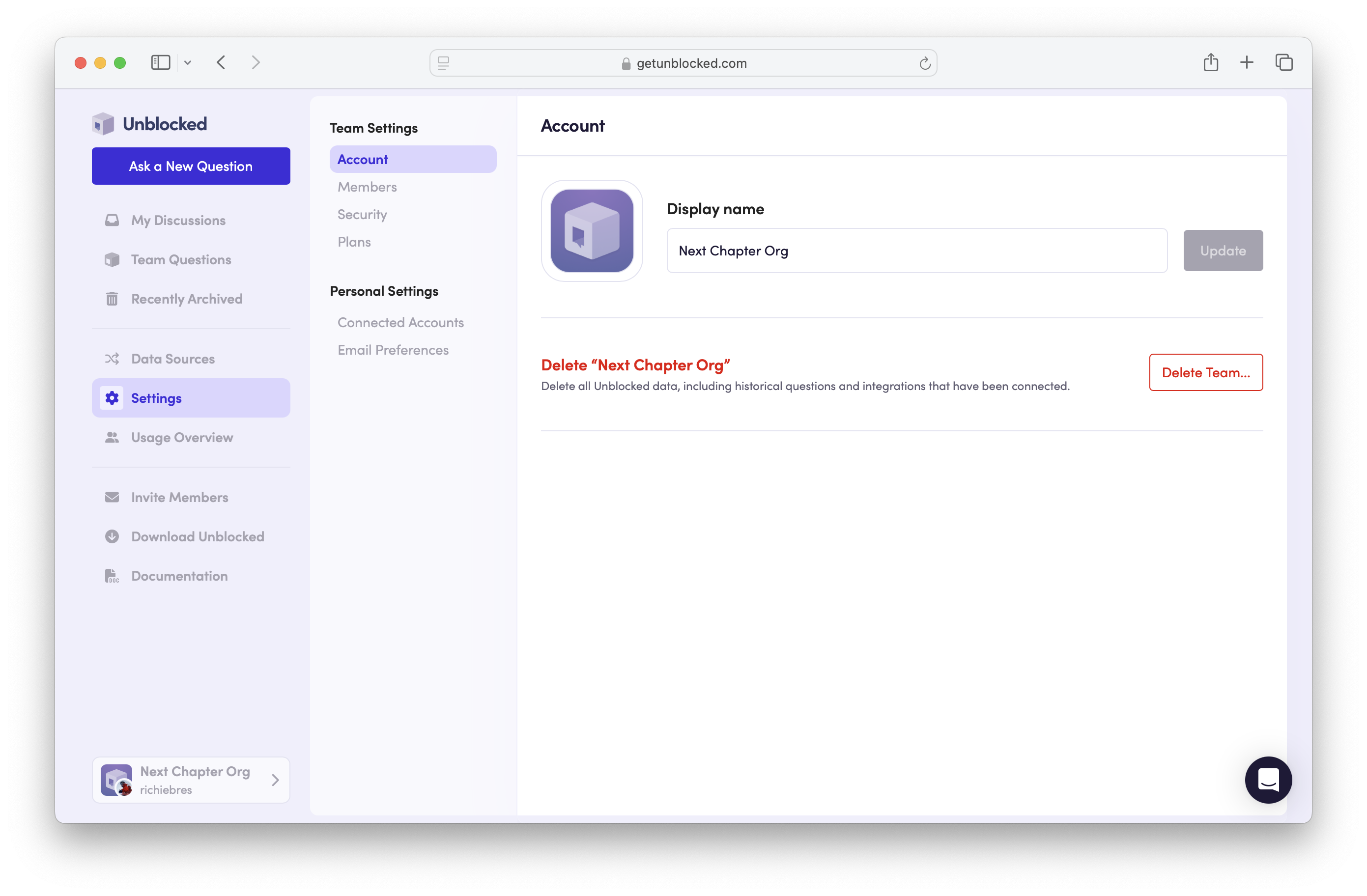
To delete a team, sign in to the Unblocked web and follow these steps:
1. In the menu on the left hand side, select **Settings**.
2. Select **Account** in the **Team Settings** section.
3. Select **Delete Team**.
4. Confirm the exact name of the team to delete it.
 If [Role-Based Access Control](/team-settings/role-based-access) is enabled for your team, only **Admin** users are allowed to delete it.