> ## Documentation Index
> Fetch the complete documentation index at: https://docs.getunblocked.com/llms.txt
> Use this file to discover all available pages before exploring further.
# Stack Overflow for Teams
> Connect your Stack Overflow for Teams instance to Unblocked
When you connect Unblocked with your instance of Stack Overflow for Teams, Unblocked will be able to use relevant context from discussion threads to answer questions, and it will provide references to the Stack Overflow posts that it used for further exploration.
## Connect Stack Overflow for Teams
### Sign in to Unblocked
Whether you sign in with a source code manager or your SSO provider, you first need to authenticate to Unblocked to begin this integration.
Once you've signed in, click **Settings** in the sidebar, then **Data Sources**, then **Connect another data source**. Scroll to the documentation section and select Stack Overflow for Teams.
This will present you with a form for connecting Stack Overflow for Teams with Unblocked.
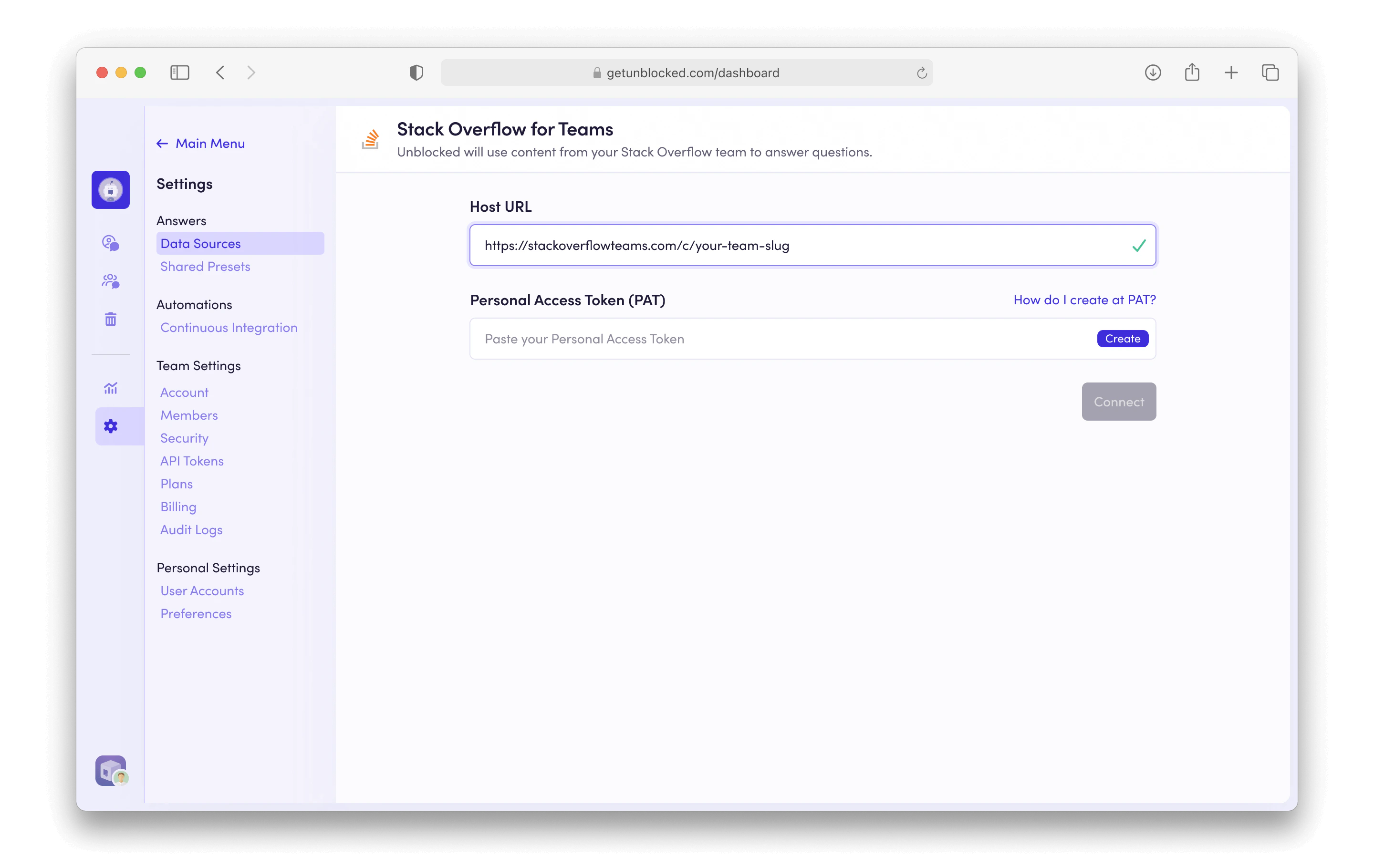 Enter your team's Stack Overflow for Teams URL with the format [https://stackoverflowteams.com/c/your-team-slug](https://stackoverflowteams.com/c/your-team-slug) on this page, and then click Create to generate a Personal Access Token (PAT).
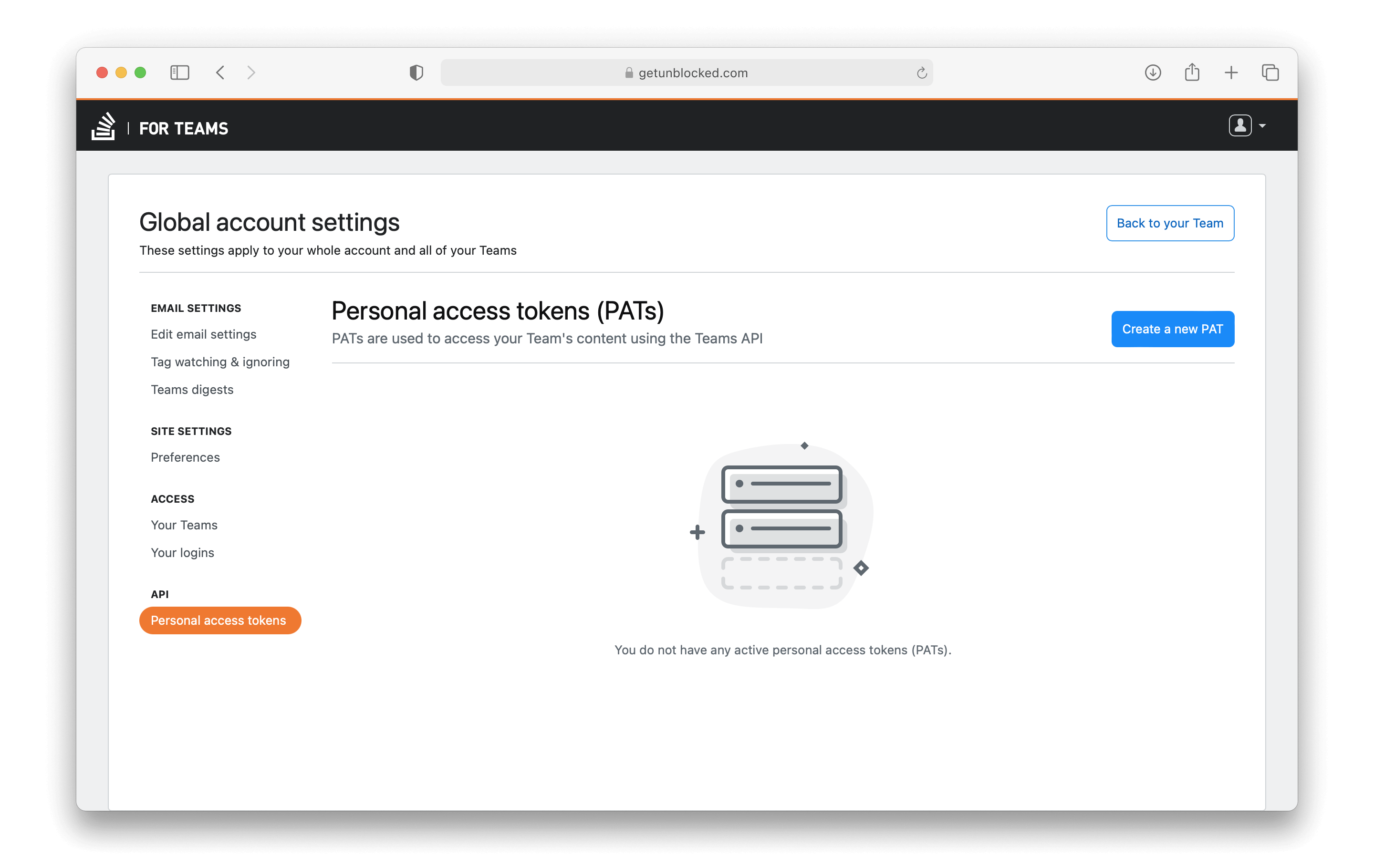 On the Stack Overflow page, click Create a new PAT, and complete the form.
You can alternatively use this link to create a
[PAT](https://stackoverflowteams.com/users/pats).
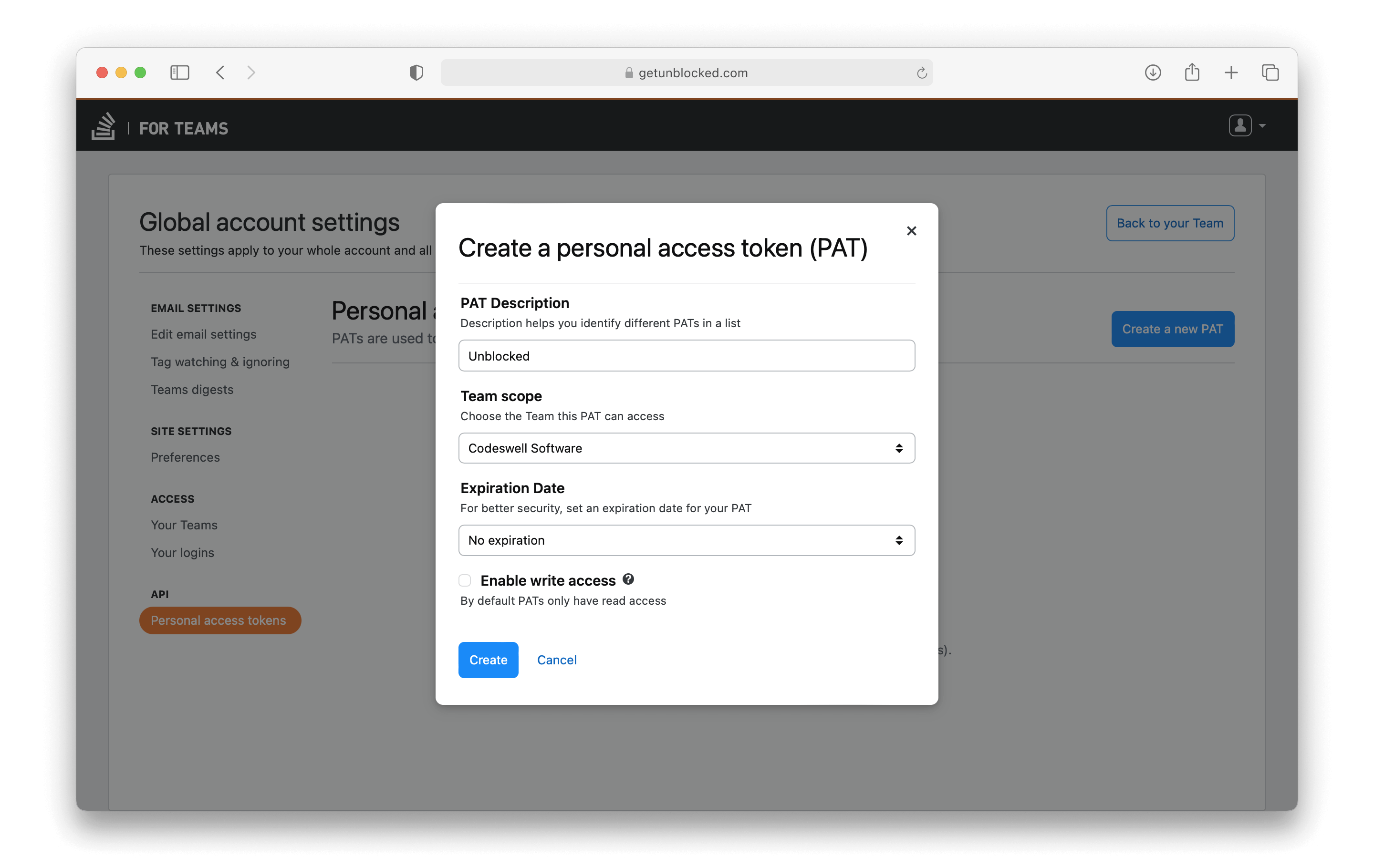
Provide a description, along with the team for Unblocked to access, and a PAT expiration date. It is not necessary to provide write access to your team, as Unblocked does not presently provide any functionality to write back to Stack Overflow. We recommend the following settings:
* PAT Description: Unblocked
* Team Scope: The team you’d like to connect
* Expiration Date: No expiration
* Enable write access: Unchecked
After completing this form, click Create.
On the Stack Overflow page, click Create a new PAT, and complete the form.
You can alternatively use this link to create a
[PAT](https://stackoverflowteams.com/users/pats).
Provide a description, along with the team for Unblocked to access, and a PAT expiration date. It is not necessary to provide write access to your team, as Unblocked does not presently provide any functionality to write back to Stack Overflow. We recommend the following settings:
* PAT Description: Unblocked
* Team Scope: The team you’d like to connect
* Expiration Date: No expiration
* Enable write access: Unchecked
After completing this form, click Create.
 Copy the generated PAT. It will not be visible again later, so make sure to copy it now.
Return to Unblocked and paste the code into the Personal Access Token (PAT) field.
Copy the generated PAT. It will not be visible again later, so make sure to copy it now.
Return to Unblocked and paste the code into the Personal Access Token (PAT) field.
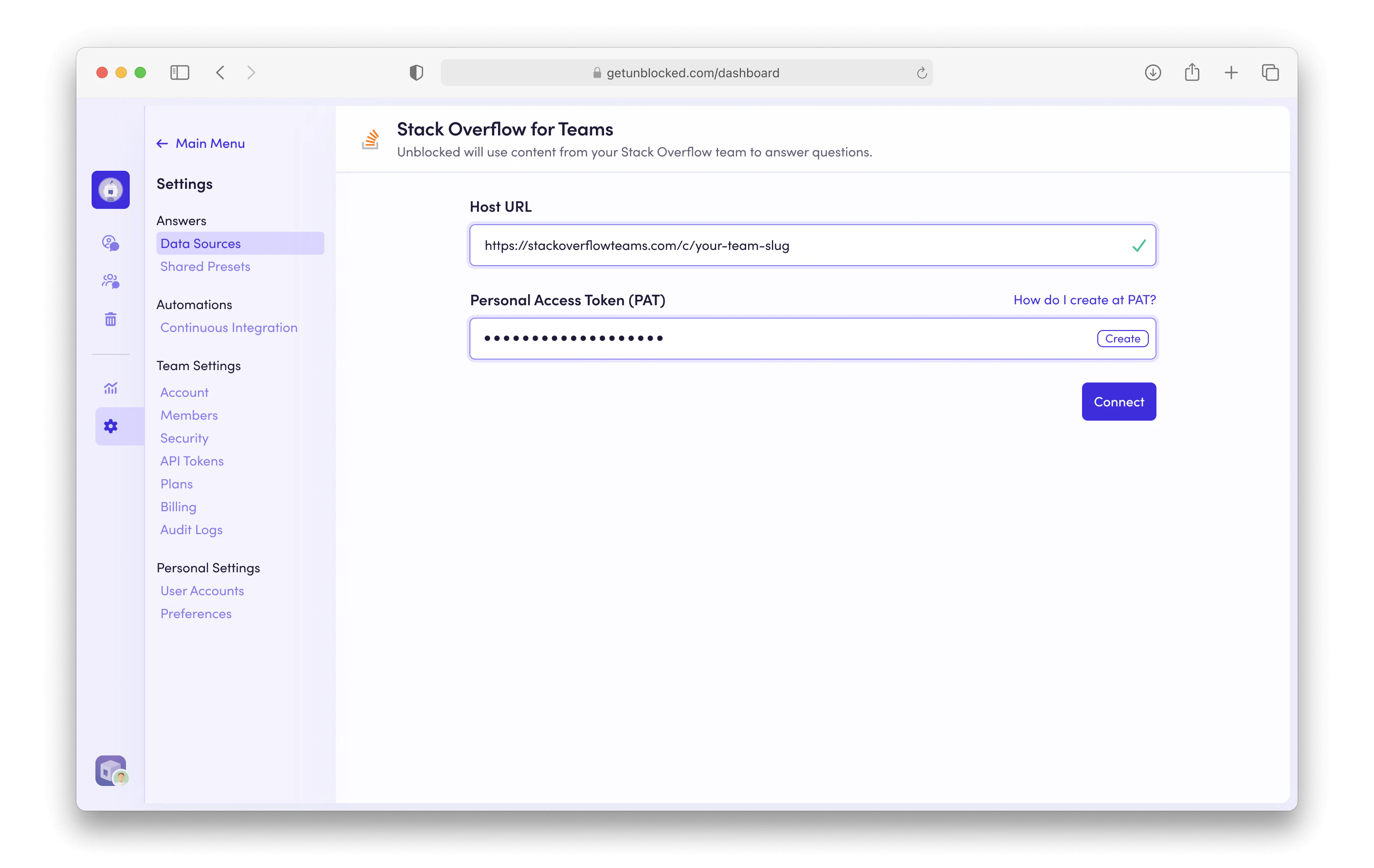 After you click **Connect**, Unblocked will be able to access the questions and answers in your Stack Overflow for Teams instance, giving Unblocked relevant context for any questions your team may ask.