> ## Documentation Index
> Fetch the complete documentation index at: https://docs.getunblocked.com/llms.txt
> Use this file to discover all available pages before exploring further.
# Linear
> Connecting context about your codebase to Unblocked
When you connect Unblocked with Linear, you'll provide Unblocked with important context on how and why your codebase works. Most importantly, Unblocked will be able to use context from the projects, issues, and pages your team has in Linear site to answer questions you ask it, and it will provide links back to the information that it used for easy reference.
## Connect your Linear workspace
### Sign in to Unblocked
Whether you sign in with a source code manager or your SSO provider, you first need to authenticate to Unblocked.
Once you've signed in, click **Settings** in the sidebar, then **Data Sources**, then **Connect another data source**. Scroll to the project management section and select Linear.
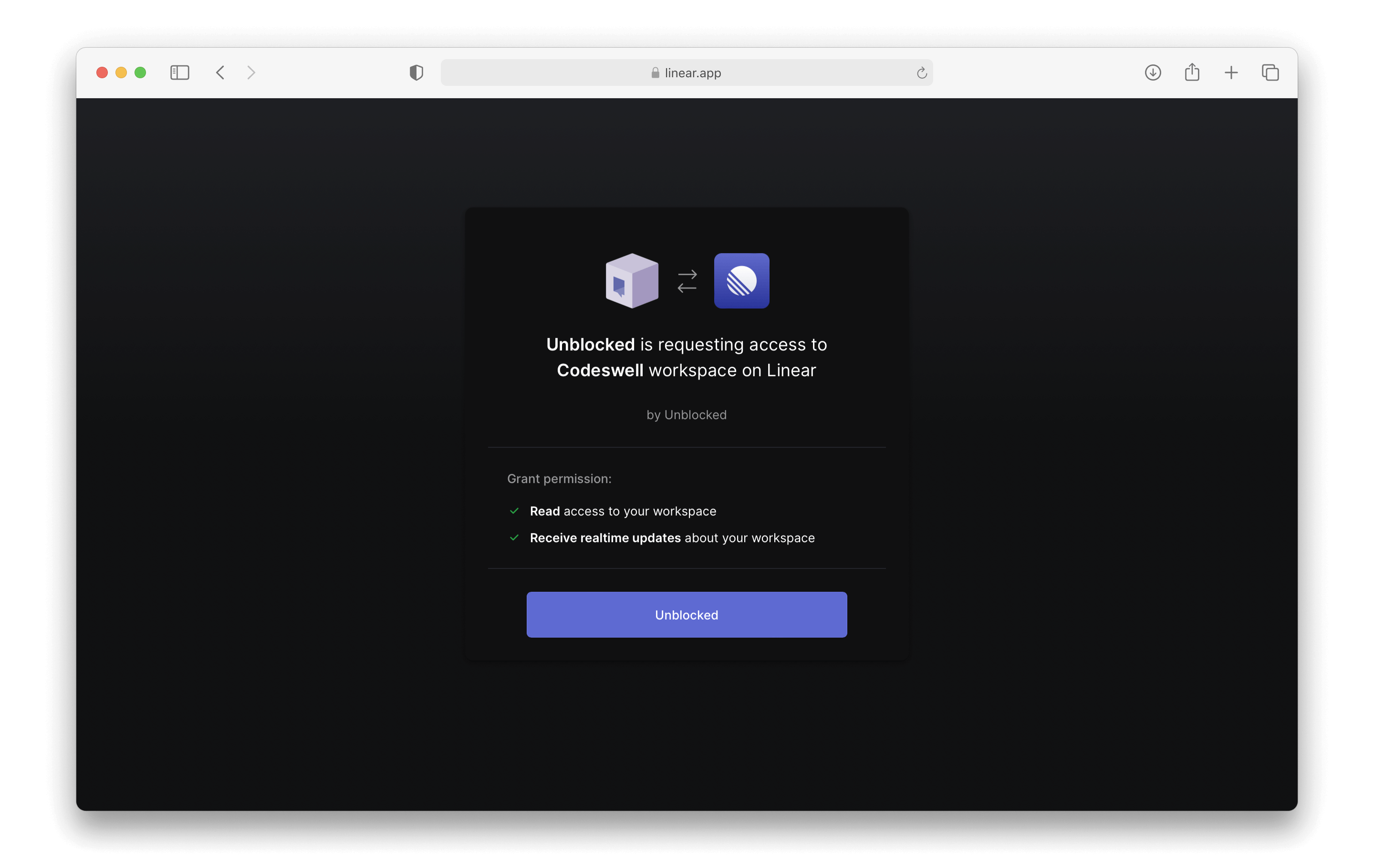
From there, you'll be redirected to Linear to sign in. Then, you'll be asked to grant workspace access to Unblocked.
 ### Connect Unblocked to Linear
Make sure you have selected the correct Linear workspace from the top left menu. Click the **Authorize Unblocked** button.
You will then be redirected back to Unblocked, where you can select the teams you want Unblocked to access. We recommend providing access to All Teams in your Linear workspace. If you would like to select Specific Teams in Linear, Unblocked will use only those selected teams to answer the questions you ask.
### Connect Unblocked to Linear
Make sure you have selected the correct Linear workspace from the top left menu. Click the **Authorize Unblocked** button.
You will then be redirected back to Unblocked, where you can select the teams you want Unblocked to access. We recommend providing access to All Teams in your Linear workspace. If you would like to select Specific Teams in Linear, Unblocked will use only those selected teams to answer the questions you ask.
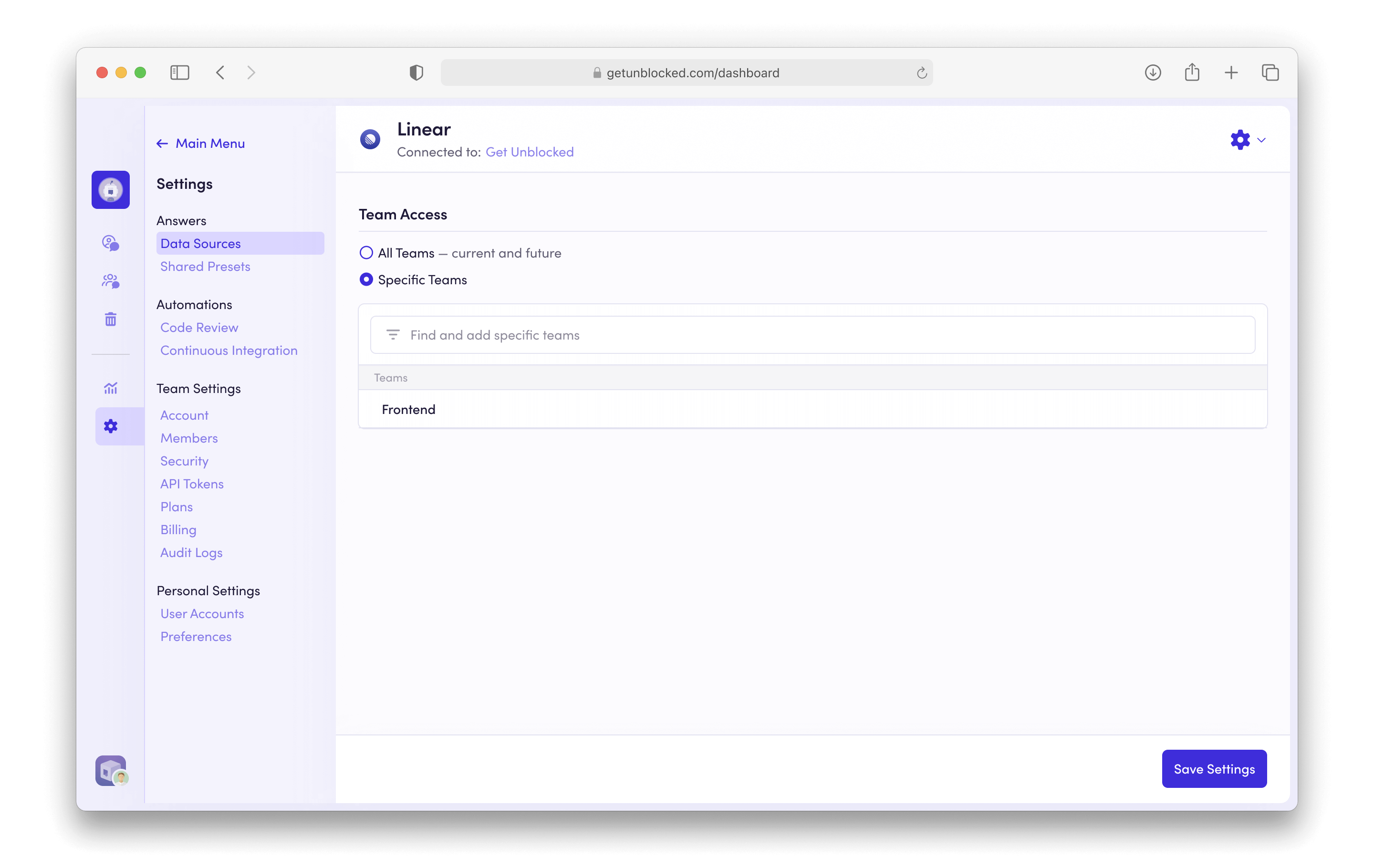 Click **Save Settings**, and Unblocked will immediately begin including these Linear resources when finding its answers for you.