> ## Documentation Index
> Fetch the complete documentation index at: https://docs.getunblocked.com/llms.txt
> Use this file to discover all available pages before exploring further.
# Setting up Billing
> How to set up payments for Unblocked
The Code Review and Platform plans can be set up through self-service. For
help setting up payments for the Enterprise plan, please contact our sales
team.
### Selecting a plan
You can select a plan at any point during your team's 21-day free trial. To start, sign in to Unblocked on the web, and then click **Settings** in the sidebar of the Unblocked web app.
Under **Team Settings**, select **Plans**. This will pull up a page with each of the Unblocked plans listed.
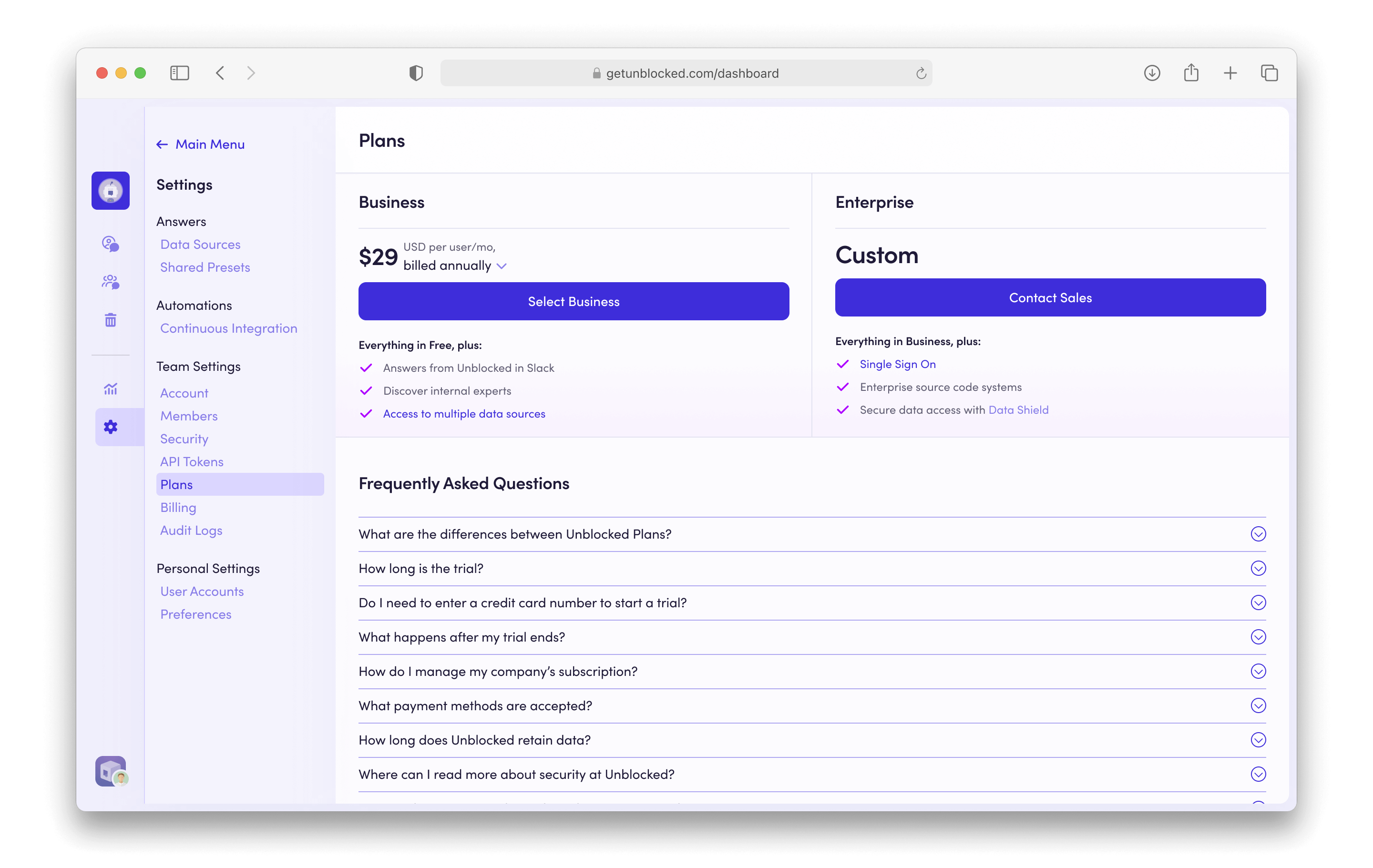 Here you can either select the Code Review or Platform plan, or contact our sales team to further discuss the Enterprise plan.
### Entering payment details
If you've selected the Code Review or Platform plan, you'll be directed to a screen to enter your payment details.
Here you can either select the Code Review or Platform plan, or contact our sales team to further discuss the Enterprise plan.
### Entering payment details
If you've selected the Code Review or Platform plan, you'll be directed to a screen to enter your payment details.
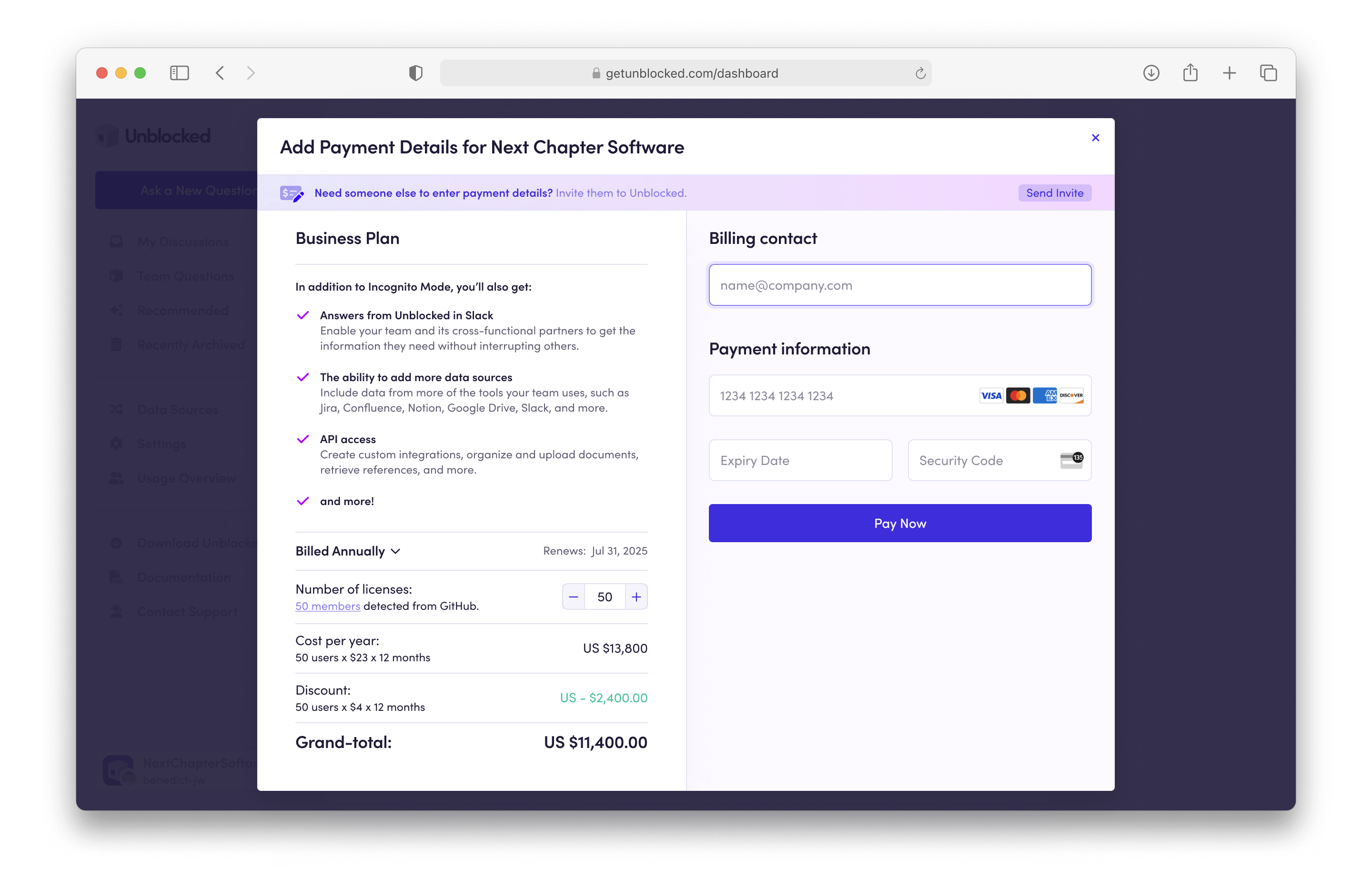 Before entering your credit card you'll need to select either a monthly or annual billing cycle, and then enter the number of licenses you are purchasing for your team. This information will be used to give you a billing total.
Next, you'll need to enter the email address for the billing contact. This email address will be used by Unblocked to send receipts and other billing reminders.
You can also invite a user to your Unblocked Team to handle billing. Follow
the instructions in the article on [adding a billing
admin](/billing/billing-admin) to set this up.
Finally, enter your credit card information and select **Pay Now**.
Your team will be automatically placed on your selected plan and billed according to the term you selected.
Before entering your credit card you'll need to select either a monthly or annual billing cycle, and then enter the number of licenses you are purchasing for your team. This information will be used to give you a billing total.
Next, you'll need to enter the email address for the billing contact. This email address will be used by Unblocked to send receipts and other billing reminders.
You can also invite a user to your Unblocked Team to handle billing. Follow
the instructions in the article on [adding a billing
admin](/billing/billing-admin) to set this up.
Finally, enter your credit card information and select **Pay Now**.
Your team will be automatically placed on your selected plan and billed according to the term you selected.