> ## Documentation Index
> Fetch the complete documentation index at: https://docs.getunblocked.com/llms.txt
> Use this file to discover all available pages before exploring further.
# Adding a billing admin
> How to invite a team member to manage payments
While anyone who has an account in your Unblocked workspace can select and pay for a plan, you can also add a dedicated billing administrator who can set up and manage your team's payments.
After you've [selected a plan](/billing/setting-up-billing), you'll be directed to a page where you can select your billing term, number of licenses, and enter payment details. At the top of this page, you'll notice a link to invite a user to enter payment information for your team.
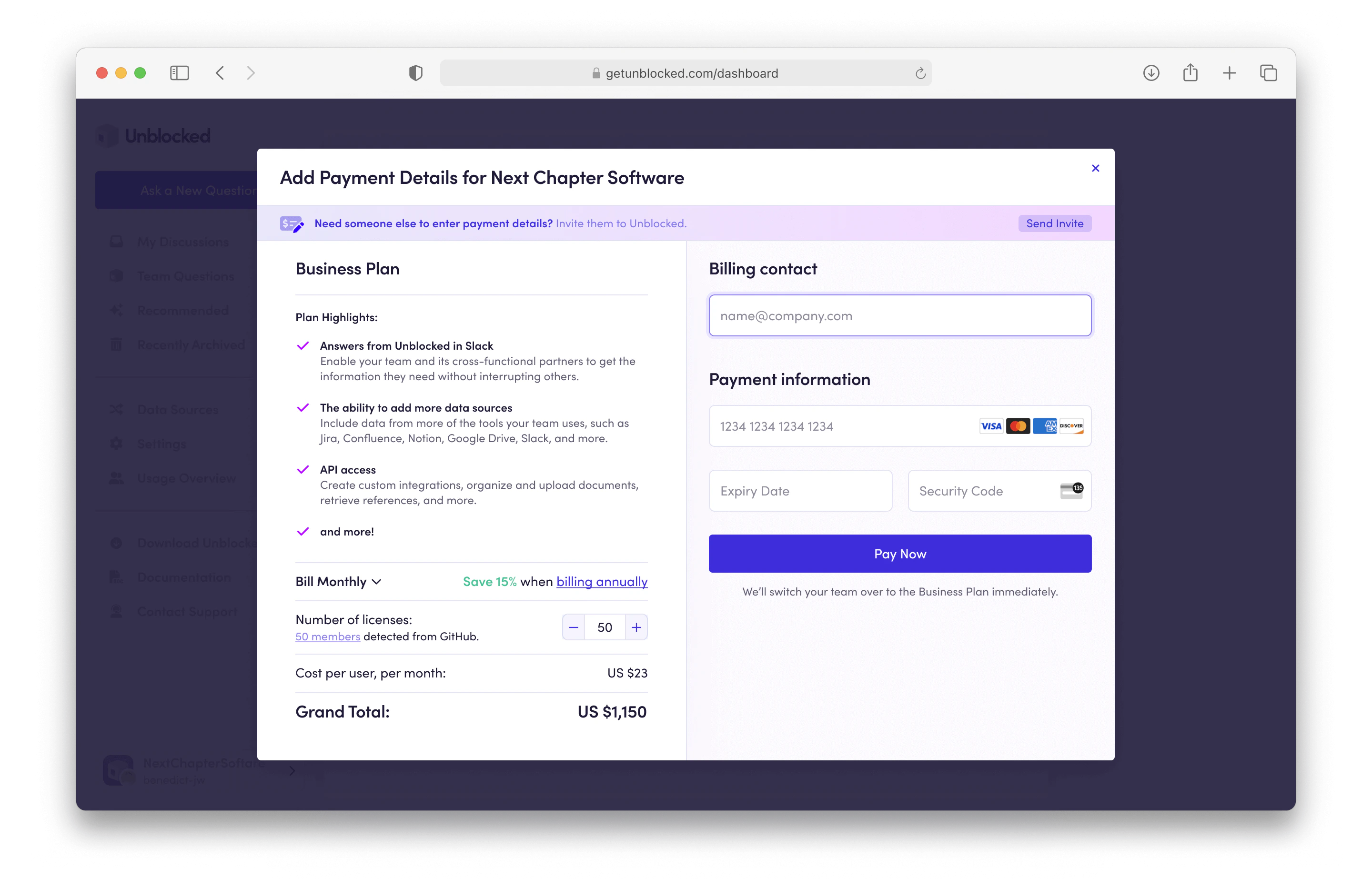 This link will open a modal where you can enter this individual's email address or copy a unique link to invite them to the payment page.
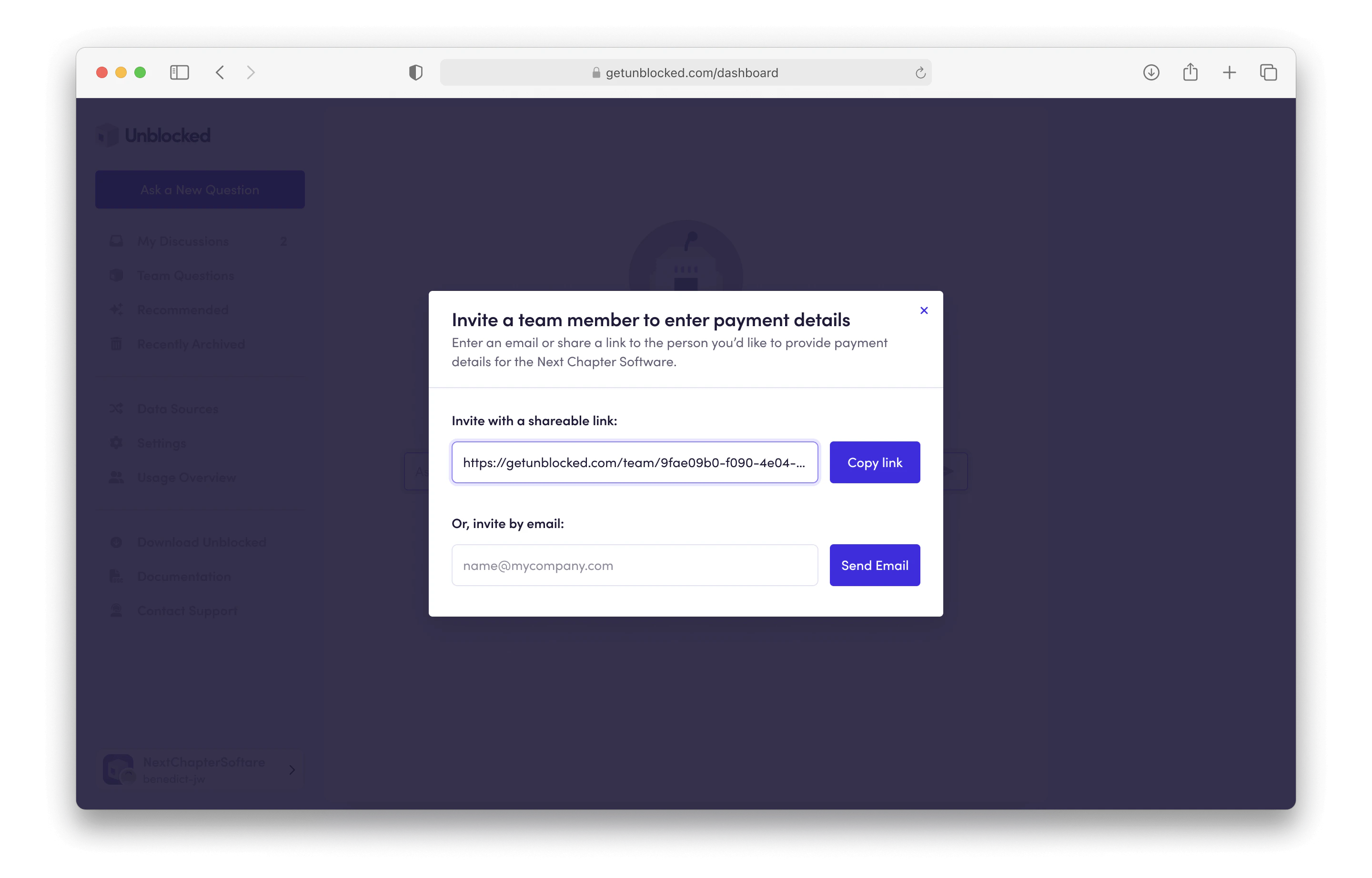 By accepting the email invitation or following the invite link, your billing admin will be able to update any payment details and enter a credit card to pay for your team's plan.
Moving forward, your billing admin will receive receipts, renewal notices, and other billing-related emails from Unblocked.
By accepting the email invitation or following the invite link, your billing admin will be able to update any payment details and enter a credit card to pay for your team's plan.
Moving forward, your billing admin will receive receipts, renewal notices, and other billing-related emails from Unblocked.